YouTube Shorts have captured audience attention worldwide with rapid, sixty-second vertical video clips. From quick cooking recipes and fitness demonstrations to comedy skits and tech tips, Shorts deliver concentrated information. However, bookmarking clips inside the YouTube application requires persistent internet connectivity, making offline reference impossible during flights or daily commutes.
Saving vertical video clips to your local camera roll gives you permanent access to helpful instructions and memorable moments. Using our browser-based YouTube Shorts downloader, you can capture full-resolution MP4 clips without installing unvetted mobile apps from app stores.
The Technical Difference Between Shorts and Standard Videos
While standard YouTube productions use a widescreen sixteen-by-nine orientation, Shorts utilize a vertical nine-by-sixteen aspect ratio optimized for hand-held mobile screens. Behind the scenes, YouTube stores Shorts in standard MP4 containers with integrated AAC stereo audio tracks.
When downloading Shorts, maintaining this exact vertical framing is critical. Substandard tools frequently add black letterboxing bars or crop video edges, cutting off essential text captions and product demonstrations. SaveYTmp3 preserves the uncropped vertical canvas and synchronizes the original audio track perfectly. If you only require the soundtrack, you can also learn about converting YouTube videos to MP3.
Mobile Workflow: Saving Shorts on iPhone and Android
The downloading procedure works smoothly across both major mobile platforms through standard web browsers:
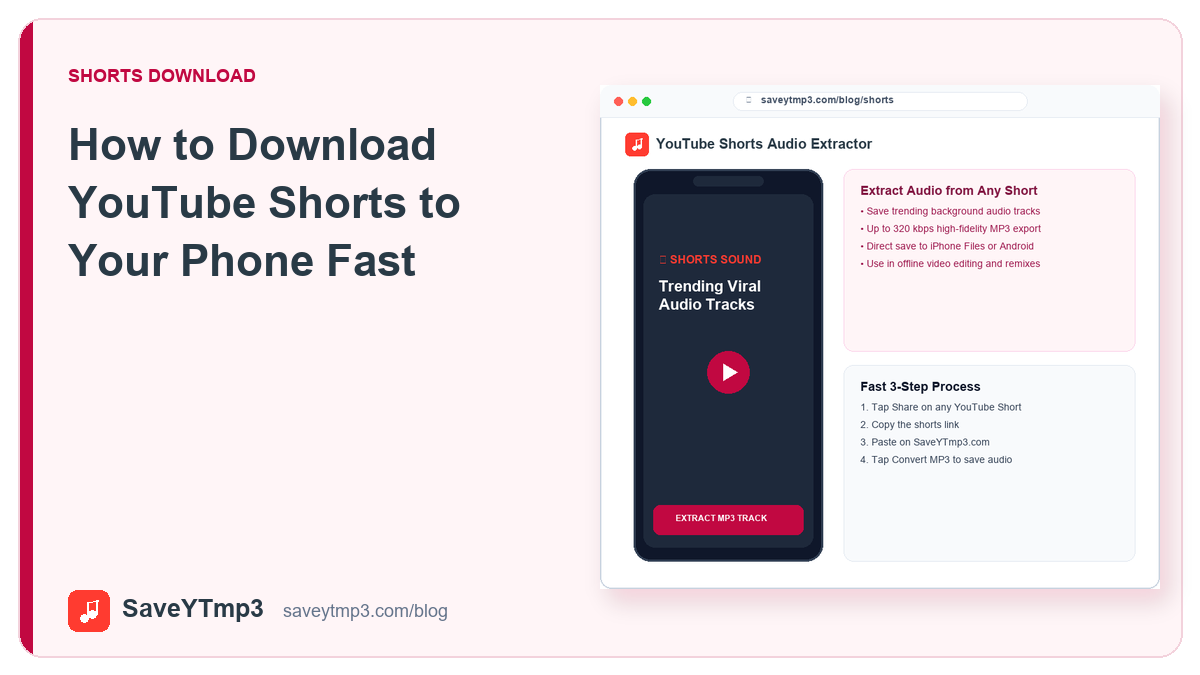
- Locate the Short: Open the YouTube mobile application and browse to the Short you wish to archive.
- Grab the Share Link: Tap the Share button positioned on the right vertical action bar. Select the Copy Link button from the system dialog.
- Open Your Mobile Browser: Launch Safari on iOS or Chrome on Android. Navigate to the SaveYTmp3 Shorts tool page.
- Paste and Process: Tap into the search field, paste your copied link, and tap Download. The server parses the short URL in seconds.
- Store the File: Tap Download MP4 to begin the file transfer. The file will save directly to your phone storage.
Audio Extraction from Vertical Short-Form Clips
Many YouTube Shorts gain viral traction specifically due to catchy background beats, creative voice filters, or trending acoustic commentary. Often, viewers wish to save just that audio snippet for speech rehearsal, dance choreography, or ringtone creation.
SaveYTmp3 supports direct audio extraction from Short URLs as well as full video saving. By selecting the MP3 option during link processing, our backend strips the visual frames and compiles a standalone audio file. This dual functionality eliminates the need to run separate desktop editing software just to isolate a ten-second audio punchline.
Transferring Downloads to Your Camera Roll
Depending on your operating system, downloaded video files land in temporary download folders before appearing in photo galleries.
On Apple iPhone devices, Safari stores the clip inside the Files application under the Downloads directory. To view the video in your camera roll, open the Files app, tap the downloaded video, select the Share icon at the bottom left, and tap Save Video. The Short will now show up alongside your camera photos.
On Android smartphones, Google Chrome automatically saves video files into the device Downloads directory. The Android media scanner detects the MP4 file almost immediately, displaying it directly within Google Photos or Samsung Gallery without extra steps.
Preserving Vertical Framing and Graphic Readability
Modern short-form content relies heavily on overlaid graphical elements, including animated captions, timer counters, and product tags. If a conversion engine compresses the visual canvas poorly, small text elements become blurry and difficult to decipher on smaller mobile screens.
SaveYTmp3 preserves the native pixel mapping of the uploaded source file. The resulting video retains crisp vector-like text lines, enabling viewers to study technical tutorials, coding walkthroughs, and recipe ingredient measurements with complete visual clarity.
Curating Short Video Reference Clips for Creators
For aspiring video creators, studying pacing, hook structure, and visual transitions across successful Shorts is standard practice. Saving reference clips locally allows you to analyze frame-by-frame cuts inside mobile editing applications like CapCut or Premiere Rush.
You can create specialized folders on your phone dedicated to specific content styles, such as cooking b-roll, text animation ideas, or lighting setups. Having instant offline access to inspirational reference reels helps you refine your creative workflow without buffering pauses or distracting algorithmic recommendations.
Troubleshooting Failed Shorts Downloads
If a Short fails to download, checking a few technical factors typically resolves the issue immediately:
- Private or Members-Only Clips: If a creator restricts a video to paying channel members or marks it private, external web tools cannot retrieve the media stream.
- Regional Licensing Restrictions: Background music licensed exclusively in certain territories may cause YouTube to block streaming in other geographic zones.
- Malformed Link Structure: Ensure your copied address starts with youtube.com/shorts/ followed by the eleven-character video identification code.
- Browser Script Locks: If the download button becomes unresponsive, clear your mobile browser cache or open a private browsing window.
By keeping these simple tips in mind, you can archive your favorite tutorials, workout routines, and comedy highlights for easy offline playback anytime.
Share this post: